Sunday, October 11, 2009
turntable round two.
The second version. it looks more like skin. also changed the geometry and gave him bump on the body.

Friday, October 9, 2009
Hatter Turn Table
Just a test to see how the skin shader works out in motion. Need to adjust it a little bit. but overall I'm happy with it. The hands need some attention from me, but right now I'm doing a simple rig. The model is actually pretty low res, and because of the beauty of subdivision, I'm allowed to up the detail without loosing my control. the entire head and body are on one UV map. Its easier to detail that way, and normal maps are created smoother. I have a base idea of what he will say, I'm not posting that yet, cause its very rough.
Image still of turn table:

Thursday, October 8, 2009
Online communities you should join!
If anyone is serious about CG there a few communities you might want to affiliate yourself with.
the big one is http://forums.cgsociety.org. This is basically CG Mecca. Forum attendees include animators and lighting techs from Pixar, Rockstar, and ILM. Its also a host to a lot of great advice from artists in the field.
Another is http://www.conceptart.org/ This is a little more specialized but it also has an area where jobs are posted regularly for appliance.
I'm also going to put http://www.3dtotal.com/ on here as well its a very good source of information on the industry in general.
the big one is http://forums.cgsociety.org. This is basically CG Mecca. Forum attendees include animators and lighting techs from Pixar, Rockstar, and ILM. Its also a host to a lot of great advice from artists in the field.
Another is http://www.conceptart.org/ This is a little more specialized but it also has an area where jobs are posted regularly for appliance.
I'm also going to put http://www.3dtotal.com/ on here as well its a very good source of information on the industry in general.
Wednesday, October 7, 2009
Game of Tag
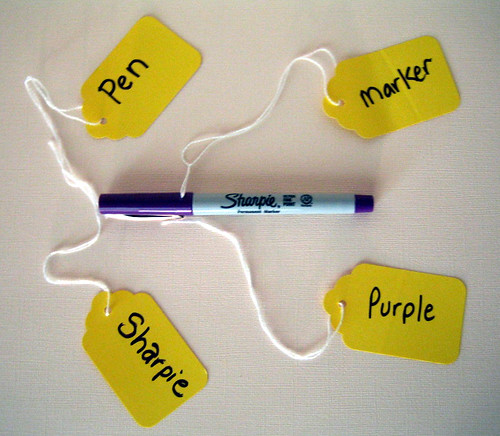
Some UV Mapping Info
This website helped me get a slightly better idea of the potential of Maya's UV tools. It seems to be using a different version of Maya, but a little poking around our version led me to similar functions. Of particular use was the note on Mapping Strategies: http://www.jawa9000.com/Technical/UVs/UVs.htm
Also, the "Automatically move UVs for better texture space distribution" button within the UV Texture Editor was a bit of a help - NOT to be relied upon completely, however! Computers are NOT as smart as humans yet, apparently.
In other news - test renders of my slug show the non-subdivided version, even though:
a) Smooth Mesh Preview is checked
b) Smooth Shade All is checked
c) I selected all the edges and clicked Normals>Soften Edges
Any advice?
Also, the "Automatically move UVs for better texture space distribution" button within the UV Texture Editor was a bit of a help - NOT to be relied upon completely, however! Computers are NOT as smart as humans yet, apparently.
In other news - test renders of my slug show the non-subdivided version, even though:
a) Smooth Mesh Preview is checked
b) Smooth Shade All is checked
c) I selected all the edges and clicked Normals>Soften Edges
Any advice?
Tuesday, October 6, 2009
I did something crazy!
Not really, but hey it caught your eye :)
More Progress:
(EDIT: Adjusted proportions on the body, due to requests on CGtalk.com)

I modeled the hatters body as one. Going to extract the head and apply blendshapes to it. Though I recently found out that even if the head is connected to the body the blendshapes need only be models of the head, as long as the verticies match they'll work!
Also here are some videos for that I found interesting.
Baginski - Fallen Art - Funny home videos are a click away
Watch Cycle in Entertainment | View More Free Videos Online at Veoh.com
More Progress:
(EDIT: Adjusted proportions on the body, due to requests on CGtalk.com)

I modeled the hatters body as one. Going to extract the head and apply blendshapes to it. Though I recently found out that even if the head is connected to the body the blendshapes need only be models of the head, as long as the verticies match they'll work!
Also here are some videos for that I found interesting.
Baginski - Fallen Art - Funny home videos are a click away
Watch Cycle in Entertainment | View More Free Videos Online at Veoh.com
Get it while it is hot
Want to know what you get when Salvador Dali creates an animation with Disney? Well, here it is:
I originally got it through a post on BoingBoing but it quickly disappeared. Maybe the FBI warning and the "1-800-no copies" had something to do with it. Let's see how long this one stays up!
Subscribe to:
Posts (Atom)